A3 vs. A4: Which Copier Size Does Your Office Actually Need?
Short answer: most offices buy a bigger copier than they need, and volume is rarely the reason. The question that decides it is narrower — does anyone on that floor genuinely produce 11×17 output? If not, an A4 device will serve the floor with a smaller footprint and a simpler walk-up experience. If yes, or if the floor needs finishing and heavy media, A3 is not a luxury and shrinking to A4 will cost you in workarounds.
The reason offices over-buy is habit rather than analysis. The last machine was an A3 floor unit, so the replacement is an A3 floor unit. It is the same instinct behind most hardware over-spending, and it is worth resisting deliberately — we wrote about the broader pattern in Avoid Overbuying: Smarter Hardware Planning for Modern Businesses.
Here is how to tell which floor you have.
What you will find in this article
- Start with the paper, not the price
- What A3 actually buys you
- What A4 does well
- A3 vs. A4 side by side
- The mistake we see most often
- Yes, you can buy an A4 machine cheaper online
- Deciding in ten minutes
- What does not change either way
- Frequently asked questions
Start with the paper, not the price
A3 and A4 describe the largest sheet the device can handle. A4 machines top out at letter and legal. A3 machines add tabloid and ledger, and with that larger paper path they generally add heavier media handling, more finishing options, and larger paper capacity.
So the first pass is a paper audit, not a spec comparison. Walk the floor and ask three questions:
- What comes off this device that is larger than legal? Not what could, in theory. What actually does, in a normal month.
- What gets sent out because the device cannot do it? Booklets, folded newsletters, presentation boards, and anything on coated or synthetic stock. Outsourced work is often the real case for A3, and it never shows up in a page count.
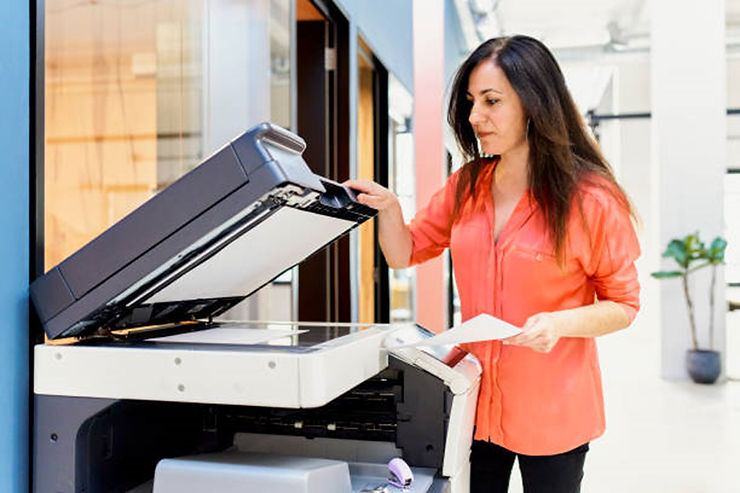
- What arrives that needs to be scanned? Scanning is where A3 quietly earns its place. Oversized documents, engineering drawings, and legacy files that were never letter-size have to be scanned in pieces on an A4 device.
If all three answers are "nothing," you are an A4 floor, and the rest of this article is about how to buy one well.
What A3 actually buys you
The larger paper path is the headline, but it is rarely the reason people are glad they bought A3.
Media range
Canon's imageFORCE platform prints at 4,800 × 2,400 dpi across coated, heavy, synthetic, and water-resistant stock, and holds color steady across long runs. If your floor produces anything that leaves the building in a client's hands, this is the difference between printing it and sending it out. The imageFORCE line also holds Keypoint Intelligence's 2026–2028 Most Energy Efficient Toner-Based A3 and A4 Brand Awards.
Scan throughput
Single-pass duplex scanning runs to 270 images per minute on imageFORCE and to 300 on Sharp's BP Advanced models. For a floor that turns paper into files all day — intake, claims, HR records, closing packets — throughput matters more than print speed, and it is the spec most buyers never look at. If scanning is the main event rather than a side effect, it is worth reading our take on document workflow automation and comparing an MFP against a dedicated scanning setup.
Capacity and finishing
Larger trays, stapling, hole punch, and booklet making. The test is whether anyone currently does that work by hand.
One platform across a mixed fleet
Both the Canon and Sharp A3 lines run from compact units up to high-volume floor systems on a single interface and driver set. Where you have several devices in a building, that consistency is worth real money in support load and user confusion — the machine on the second floor behaves like the machine in the mail room. Sharp's current BP-71C series also carries BIOS integrity checking with self-recovery, firmware attack prevention, and native Microsoft 365, Teams, and OneDrive integration, which matters more than most buyers expect: see Are Office Printers a Security Risk for My Business Network?
What A4 does well
A4 is not the compromise choice. For a floor with steady daily volume and no oversized output, it is the correct choice.
Brother's Workhorse line is letter-size, compact, and built for continuous daily use rather than occasional bursts. The MFC-L9670CDN, for example, prints 42 pages per minute in color and mono, in simplex and duplex, with 620 sheets of expandable standard capacity and a 100-page feeder that scans two-sided at up to 104 images per minute. It carries Triple Layer Security, NFC badge authentication, and Secure Print+, and it took a BLI Pick Award in 2023. Through the Aztec Brother Unlimited subscription, hardware, toner, and service arrive as one all-inclusive monthly cost with no page counts and built-in refresh cycles.
Read those numbers against what your floor actually does. A satellite office with nine people is not held back by a letter-size device. It is held back by a device that jams, or by nobody arriving when it does.
Two more things A4 gets you that rarely make a spec sheet:
- Footprint. A4 units sit on a credenza or a small stand. On a floor where space is contested, that is not a minor consideration.
- Simplicity at the panel. Fewer trays, fewer finishing options, fewer ways for a walk-up user to send a job somewhere unexpected.
A3 vs. A4 side by side
| A4 (letter/legal) | A3 (adds tabloid/ledger) | |
|---|---|---|
| Largest sheet | Legal | Ledger, 11×17 |
| Best for | Departmental and satellite floors with steady, standard-size output | Shared floors, mixed output, scan-heavy operations, anything currently outsourced |
| Media range | Standard office stock | Coated, heavy, synthetic, and water-resistant stock |
| Finishing | Basic | Stapling, punch, and booklet making available |
| Scanning | Two-sided, up to about 100 ipm | Single-pass duplex, up to 270–300 ipm |
| Footprint | Desktop or credenza | Floor-standing |
| Acquisition and service cost | Lower | Higher — how much higher depends entirely on configuration and finishing |
| Weakest against | Oversized originals and outsourced work | Floors that never print larger than legal |
Whichever column you land in, the sticker is only part of the number. The hidden costs of owning a copier or printer and the billing model on your service contract usually move the five-year figure more than the choice between A3 and A4 does.
The mistake we see most often
"We only need to replace the one that broke."
It is a reasonable instinct and it is usually how offices end up with the wrong fleet. The broken machine was specified for how the floor worked when it was installed, and floors change — headcount moves, a department consolidates, a workflow goes digital, a new service line starts producing client-facing material.
Replacing like-for-like carries all of that forward without checking it. The better move is to spend twenty minutes per floor mapping devices to how the floor works now. It frequently ends with fewer devices, not more, and with the right one in each place. That is the whole basis of how we approach a print environment, and it works best when IT and operations are looking at the same map — see How IT and Operations Can Align on Hardware Strategy.
Yes, you can buy an A4 machine cheaper online
You can, and it is worth being straight about this. What you cannot buy through those channels is the Workhorse line, which is dealer-channel protected. So the comparison is not the same machine at two prices — it is two different classes of machine.
Three things to compare instead of price:
- Duty cycle. What the device is rated to produce every month, not what it can produce on a good day.
- Feeder throughput. If you scan, this is the number that governs your afternoon.
- Who services it. A retail purchase comes with a shipping label. Know what happens on the day it fails, before the day it fails.
That last one is the whole argument, and it applies just as much when you are comparing dealers as when you are comparing channels. Ask what response time is guaranteed in writing, and who physically arrives. We took the channel question apart in Should I Buy From a Local Dealer or the Manufacturer?, and if you are running a formal process, Do I Need to Go Out to Bid? covers when an RFP is worth the effort.
Deciding in ten minutes
Walk each floor with this list:
- Anything larger than legal, in a normal month? → A3.
- Work currently sent out that the device could do? → A3, and price the finishing.
- Oversized originals to scan? → A3.
- High daily scan volume of standard documents? → Either, but weigh feeder throughput heavily.
- Steady standard-size printing, tight space, nine to twenty-five people? → A4.
- Several devices in one building? → Prioritize a single platform across all of them, whichever size you land on.
If two floors give different answers, that is normal and it is fine. A mixed fleet on a common platform is usually the right shape for a multi-floor building, and it is why we select across Canon, Sharp, and Brother rather than fitting every floor to one line. You can browse the range on our printers and copiers store, though the selection conversation is more useful than the catalog.
What does not change either way
Whichever size you land on, the device is only as good as the support behind it. Aztec's service model runs on factory-certified technicians, manufacturer-trained on every line we sell, with certified escalation technicians behind them and both remote and onsite cases supported. Our coverage runs from Boston to Philadelphia, which means local relationships and response with the scale of a regional operation behind them. Service requests, device lists, and history live in one place — here is a walkthrough of the customer portal.
And whichever size you land on, the placement is the start of a print relationship rather than the end of a purchase. Supplies, service, and volume belong on one agreement with one contact, and your renewal date belongs on the calendar before it arrives rather than after. If you are weighing how far to take that consolidation, Should You Use One Provider for All Your Office Technology? lays out both sides, and reducing print costs without sacrificing quality covers the levers that actually move.
Frequently asked questions
What is the difference between an A3 and an A4 copier?
A4 copiers handle paper up to letter and legal size. A3 copiers add tabloid and ledger — 11×17 — and the larger paper path usually brings heavier media handling, more finishing options such as stapling and booklet making, and larger paper capacity.
Do I need an A3 copier?
Only if the floor produces or scans something larger than legal in a normal month, needs finishing such as stapling or booklet making, or currently sends work out that an A3 device could do in house. If none of those apply, A4 is the correct choice rather than the compromise.
Is an A4 multifunction printer enough for a small office?
For most small and satellite offices with standard-size output, yes. A business-grade A4 device such as the Brother MFC-L9670CDN prints 42 pages per minute in color and mono and scans two-sided at up to 104 images per minute, which is more than adequate for steady daily volume in a nine-to-twenty-five person floor.
Which is better for scanning, A3 or A4?
A3 devices generally scan faster and handle oversized originals. Single-pass duplex feeders on A3 machines run to 270–300 images per minute against roughly 100 on a business A4 device. If your team scans all day, feeder throughput deserves more weight than print speed.
Does an A3 copier cost more than an A4?
Yes, both to acquire and to service, but the size of the gap depends far more on configuration and finishing options than on the paper size itself. Ask for the quote broken out line by line so you can see which options are driving the number.
Can one office run both A3 and A4 devices?
Yes, and for multi-floor buildings a mixed fleet is often the right answer. The thing to protect is platform consistency: choosing lines that share one interface and driver set keeps support load and user confusion down as the fleet mixes.
Ready to map your floors?
Book a fleet walkthrough — we map every device to the floor it serves and identify your lease notice window before it closes.
Prefer to start with a question? Reach us at sales@aztecoffice.com or through our contact page. More on print and document workflow in the Aztec Learning Center.