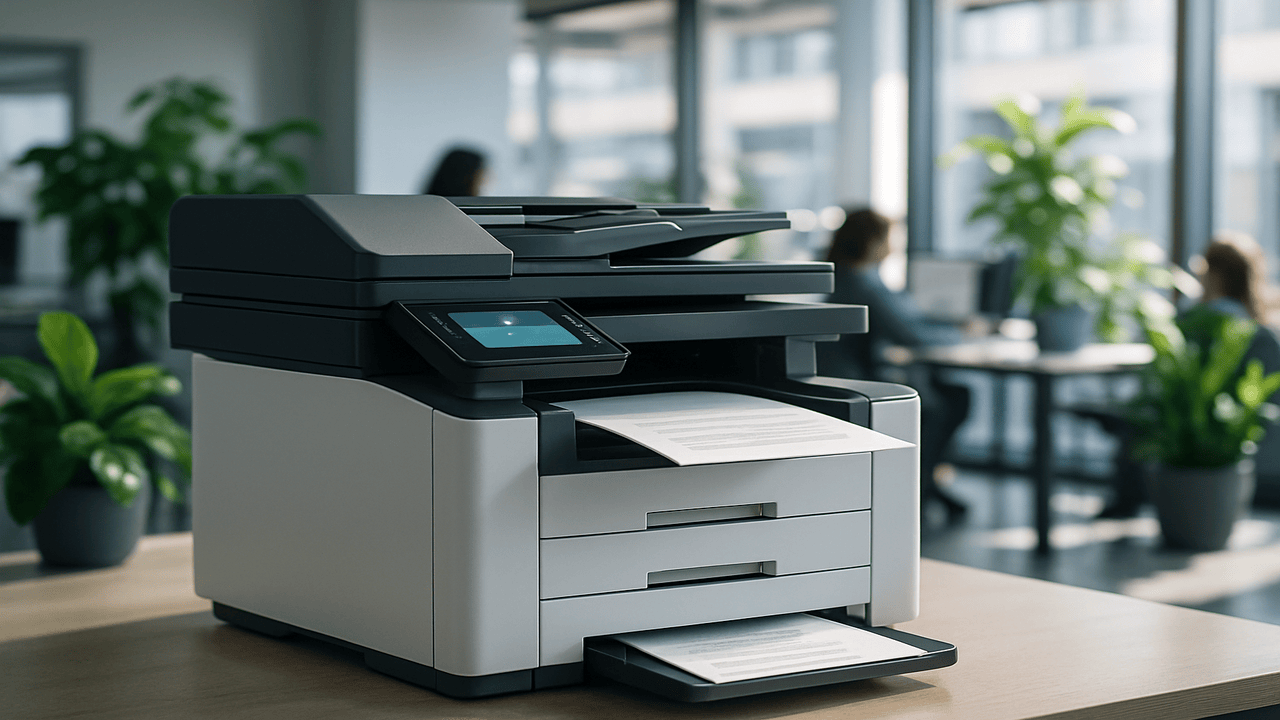
When it comes to choosing a copier for your office, most people focus on speed, paper size, or connectivity — but the finisher is one of the most important and overlooked components of the entire setup. A copier finisher is the part of the machine responsible for what happens after printing: sorting, stapling, hole-punching, folding, and binding.
If your organization handles reports, invoices, presentations, or booklets daily, the right finisher can save time, reduce manual handling, and make your output look more professional. But not all finishers are the same — and understanding your options can help you make the right investment.
Let’s break down the types of finishers available, when each makes sense, and how Aztec can help you match the right finishing solution to your specific workflow.

1. What Does a Copier Finisher Do?
In the simplest terms, a finisher automates the “last step” of document production. Rather than printing a hundred pages and having an employee manually staple, fold, or collate them, a finisher handles these actions automatically.
This automation helps:
-
Improve productivity — employees can focus on higher-value tasks instead of manual assembly.
-
Increase consistency — every booklet, packet, or report looks professional and uniform.
-
Reduce waste — fewer misprints and errors when collating or binding.
The exact type of finisher you need depends on your print volume, the types of documents you produce, and the space available in your office.
2. The Main Types of Finishers: Inner vs. Outer
When you’re shopping for a copier or multifunction printer (MFP), you’ll often see two primary categories of finishers: inner and outer. Let’s explore what sets them apart.
Inner Finishers
They’re designed for smaller offices or workgroups with moderate print volumes. Because they fit within the main copier frame, they don’t take up much additional space — making them ideal for offices where every square foot counts.
Common features of inner finishers:
-
2-point or corner stapling
-
Basic sorting and collating
-
Hole punching (on some models)
Ideal for:
-
Small offices or home offices
-
Administrative departments
-
Teachers or small schools producing classroom materials
Example setup: At Aztec, we often pair inner finishers with compact business copiers like the Sharp MX-C357F and Canon imageRUNNER ADVANCE DX C3830i. These models are perfect for offices that want a reliable all-in-one solution with simple finishing built in — no extra space or power needed.
Outer Finishers
Outer finishers are larger, external units attached to the side of the copier. These are the powerhouses of document finishing — built for higher-volume environments that demand flexibility, speed, and a variety of finishing styles.
Because they sit beside the copier, they take up more physical space — but they dramatically expand what your copier can do.
-
Multi-position stapling and saddle stitching (for booklets)
-
Folding (Z-fold, tri-fold, half-fold)
-
Hole punching
-
Stacking and offset sorting
-
Insertion of covers or tab sheets
-
Print-heavy departments (accounting, marketing, HR)
-
Corporate offices or print rooms
-
Educational institutions producing packets or handbooks
-
Professional firms that frequently produce reports, proposals, and client-facing documents
Example setup: At Aztec, we often configure outer finishers with high-capacity models like the Sharp BP-70C65 or the Canon imageRUNNER ADVANCE DX 8700 Series These copiers can handle thousands of pages per day and produce polished, ready-to-deliver materials directly from the device.
3. Specialized Finishing Options for Professional Output
Beyond the inner and outer designations, finishers can include optional modules that expand your copier’s abilities. Depending on your needs, Aztec can help you tailor your finisher with the following add-ons:
-
Saddle Stitching: Ideal for booklets, catalogs, or training manuals.
-
Folding Unit: Great for brochures or mailers.
-
Hole Punching: Perfect for binder-ready reports or client packets.
-
Cover Inserter: Adds preprinted covers to reports automatically.
-
Z-Fold / Tri-Fold: For invoices or mailers that need to fit into envelopes.
When your business regularly produces client-facing materials, these features can make the difference between average output and premium presentation — while saving hours of manual work each week.
4. Choosing the Right Finisher for Your Workflow
When choosing a finisher, it’s important to evaluate your print volume, document types, workspace, and future growth.
Here are a few guidelines:
|
Business Type |
Recommended Finisher |
Copier Example |
Key Benefit |
|
Small business or home office |
Inner Finisher |
Sharp MX-C357F |
Compact, affordable, basic stapling |
|
School or department office |
Inner Finisher with hole punch |
Canon imageRUNNER ADVANCE DX C3830i |
Saves space, adds light-duty finishing |
|
Mid-sized business or legal/accounting firm |
Outer Finisher |
Canon imageRUNNER ADVANCE DX 8700 Series |
Handles large packets, multi-position stapling |
|
Marketing or production team |
Outer Finisher with saddle stitch |
Sharp BP-70C65 |
Professional-grade booklets, presentations |
|
Corporate or enterprise environment |
Outer Finisher with multiple modules |
Canon imageRUNNER DX C5860i |
Complete automation and high-volume output |
5. Why Choose Aztec for Your Copier and Finisher Setup
At Aztec, we know that every office operates differently — and your copier setup should reflect that. Whether you’re a small business looking for a compact solution or a large organization needing high-capacity finishing, our experts can help configure a device that fits your exact needs.
Our team doesn’t just sell equipment — we provide end-to-end office technology solutions, including:
-
Copier and printer setup
-
Managed print services
-
Cloud document management
-
Workflow automation and training
-
Nationwide service and support coverage
We work closely with trusted brands like Sharp, Canon, and Brother to deliver proven performance and lasting reliability.
When you partner with Aztec, you get more than a copier — you get a productivity solution tailored to your people, processes, and space.
6. The Final Touch: Finding Your Perfect Match
The right finisher can completely change the way your team works. From small offices that just need stapled reports to enterprises producing full-color booklets, there’s a finisher and copier combination that can fit perfectly into your environment.
Aztec’s specialists will assess your print volumes, floor space, and output requirements — then recommend the ideal copier-finisher pairing for your business.
Because your finishing needs are as unique as your workflow.
📞 Ready to Find the Right Finisher?
Connect with Aztec Office today to explore our lineup of professional copiers and finishing solutions. Whether you need compact efficiency or production-grade performance, we’ll help you find the right fit for your workspace and budget.
👉 Schedule a consultation at AztecOffice.com and discover how the right finisher can transform your workflow from start to finish.